How to boost your business’s visibility on Google Maps for local search
Google Maps is a powerful resource for any business looking to improve its online visibility, especially for local search. If a user searches for a service or product in your town, ranking highly on Google Maps decides whether that customer comes to you or to a competitor. These are the strategies that work best for getting found on Google Maps by people searching in your area.
1. Create and optimise your Google My Business profile
Creating a Google My Business profile is the first essential step towards appearing on Google Maps. If you haven’t registered your business yet, now is the time to do it. Once the profile is created, it then needs to be completed and kept up to date: that’s what determines your ranking.
- Business name: use your real business name, without adding extra keywords.
- Category: choose the category that best describes your business; add secondary categories if needed.
- Description: write a description that includes the most relevant keywords for searches in Lugano.
- Opening hours: make sure your opening hours are always up to date, including any special hours for holidays.
- Photos: upload quality images of your business, your products, and the interior and exterior of your premises. Photos increase interest and build trust with customers.
An optimised Google My Business profile helps Google rank your business better in local search results, making it easier for potential customers to find you.
2. Encourage customer reviews
Reviews have a major impact on your business’s ranking on Google Maps and on how customers perceive you. The more positive reviews your business receives, the more likely Google is to show it to customers searching for a similar service in your town.
- Ask satisfied customers for reviews: after a purchase or visit, invite your customers to leave a review on your profile.
- Respond to reviews: reply courteously to both positive and negative reviews. This shows customers that you care about their opinion and are always willing to improve.
- Incentives: if possible, you can offer discounts or perks to customers who leave a review (be careful not to force it, though — keep the communication genuine).
3. Use local keywords in your description and Posts
Google My Business lets you create posts to promote products, events or special offers. Use this space to include keywords relevant to your town or region.
- Regular updates: create informative posts, such as special offers or news about your products, and include keywords like “Lugano” or “Italian-speaking Switzerland”.
- Local keywords: include your geographic area (e.g. “ice cream shop in Lugano” or “clothing shop in Lugano”) naturally, both in your business description and in your posts, to increase the likelihood that your business appears when people search in that area.
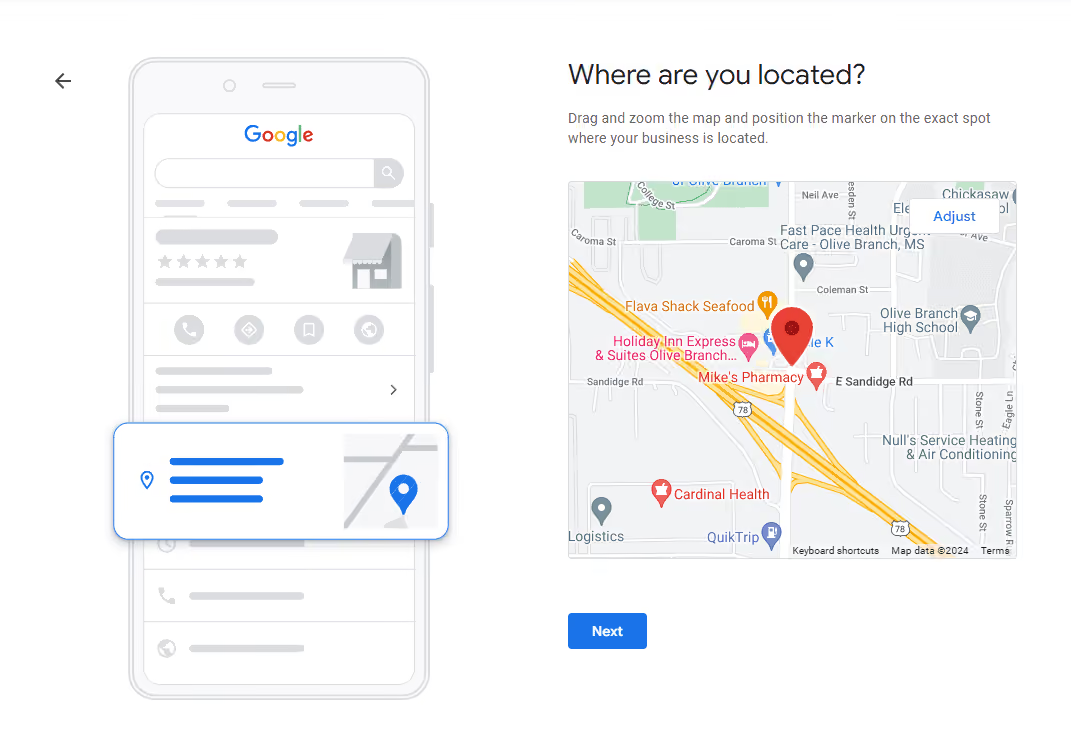
4. Keep your location and contact details up to date
Having up-to-date contact details and location is essential for appearing on Google Maps and helping customers find you.
- Accurate address: make sure the address is correct and, if possible, include details such as the floor of the building or other useful information.
- Phone numbers and contacts: add up-to-date phone numbers and make sure they’re clickable for people accessing your profile from mobile devices.
- Link to your website: include a link to your business’s website so customers can explore your services and products in more detail.
5. Add quality photos and videos to attract attention
Quality images make your Google My Business profile more appealing and help Google determine how relevant your business is for local search.
- Update your photos regularly: fresh photos of your business, products and surroundings help keep customers interested.
- Use short videos: if possible, add videos of your business or products to give a more direct idea of what you offer.
6. Check your statistics and keep optimising
Google My Business provides detailed statistics on how customers interact with your profile: views, searches, actions and requests for directions. Analysing this data helps you understand what’s working and where you can improve.
- Analyse demographic data: check which areas customers are searching from and optimise your posts and descriptions based on this data.
- Adapt your content: if you notice certain posts performing better, keep publishing similar content. Also experiment with new formats and copy.
7. Make your Google My Business profile accessible on other channels
Integrate your Google My Business profile with other channels to increase your chances of being found.
- Links on social media: include a link to your Google My Business profile on Facebook, Instagram and LinkedIn.
- Newsletter and website: share the link to your Google profile in your newsletter and on your website to invite customers to leave reviews or visit your business.
Conclusions
Boosting your business’s visibility on Google Maps for searches in your town requires a combination of profile optimisation, attention to reviews, and content that attracts customer interest. By following this advice, you can improve your business’s ranking in Google Maps results and attract more local customers.
Investing in managing your Google My Business profile and keeping your information constantly up to date increases your visibility and helps build a trusting relationship with customers, improving growth opportunities for your business in your town.